
Calculator Guide
Advanced Protein Calculator Guide: Body Fat, Lean Mass, Goals, and Meal Splits
An advanced protein calculator is useful when a simple body-weight target is not enough. The extra settings should clarify the estimate, not make it look falsely precise. This guide explains when to use body fat percentage, how goal ranges change the result, how meal splits work, and when the calculator should stop and recommend clinician guidance instead.
Key Takeaways
- Advanced protein targets still begin with body weight and goal-specific grams per kilogram ranges.
- Body fat percentage can help when total body weight overstates protein needs, but it is only as good as the estimate entered.
- Meal split outputs make the daily target usable, especially for high targets, older adults, low appetite, and busy schedules.
- Pregnancy, breastfeeding, kidney disease, advanced liver disease, and complex clinical contexts need individualized guidance rather than calculator certainty.
- Use the calculator result as a planning range, then test it against meals, digestion, training, appetite, and medical context.
Article Structure
- 1. What Makes a Protein Calculator Advanced
- 2. Protein Ranges by Goal
- 3. Body Fat, Lean Mass, and Adjusted Weight
- 4. Meal Splits and Per-Meal Targets
- 5. Worked Examples
- 6. Input Quality and Sanity Checks
- 7. How to Choose a Number Inside the Range
- 8. Turning the Result Into Meals
- 9. Advanced Use Cases and Boundaries
- 10. Advanced Calculator Output Checklist
- 11. Examples by Body Size and Eating Pattern
- 12. Reviewing Progress After Two Weeks
- 13. Advanced Calculator Workflow From Start to Finish
- 14. Medical Caution and When Not to Use a Calculator Output
- 15. Official Source Credits and Visual Assets
- 16. How to Use the Advanced Result
Use This as Decision Support, Not a Treatment Plan
This page can help organize meals and questions, but it cannot set a personal medical nutrition target. Bring these points to the clinician managing the medication, diabetes care, kidney health, pregnancy planning, or side effects.
- What protein and calorie range fits my medication, weight-loss pace, kidney function, labs, and activity?
- Which symptoms should trigger a medication or clinical check-in rather than another food swap?
- Do I need body-composition monitoring, hydration guidance, constipation support, or referral to a registered dietitian?
Enter your details
Adjust the fields, then calculate your daily protein target below.
What Makes a Protein Calculator Advanced
A basic calculator asks for weight and goal. An advanced calculator adds context: sex, age, height, activity, goal, body fat percentage, health context, and meals per day. These inputs help translate a broad protein range into a usable daily target and a per-meal plan. They do not turn nutrition into an exact prescription.
The most useful advanced setting is often not a more complex formula; it is the meal split. A target of 150 g protein means little until it becomes breakfast, lunch, dinner, and snacks. Advanced settings should help readers ask better questions: is the target realistic, is it spread across meals, and does it fit the person's goal and health context?
| Input | What it changes | Main caution |
|---|---|---|
| Body weight | Base protein math | Total weight may overstate needs in some cases |
| Goal | Range selection | Muscle gain and weight loss use higher ranges |
| Activity | Where target sits inside range | Hard training also needs calories and carbs |
| Body fat % | Can inform adjusted weight context | Estimate can be inaccurate |
| Age / senior flag | Older adults may need stronger per-meal planning | Medical issues can override calculator output |
| Meals per day | Per-meal target | Small appetite may need more frequent meals |
Protein Ranges by Goal
The calculator uses goal-specific ranges because the same person can need a different protein target in different contexts. Maintenance can sit lower. Weight loss often benefits from higher protein for fullness and lean-mass retention. Muscle gain requires enough protein to support training adaptations, but more protein does not compensate for poor training or insufficient calories.
The range should be interpreted as a planning zone. A smaller sedentary adult may use the lower end. A larger active lifter may use the higher end. A user with medical constraints may not use the calculator output at all. The advanced workflow should make this nuance visible.
| Goal | Common planning range | Best use |
|---|---|---|
| Maintenance | About 0.8-1.2 g/kg | General health and stable weight |
| Weight loss | About 1.2-2.0 g/kg | Calorie deficit and fullness support |
| Muscle gain | About 1.6-2.2 g/kg | Resistance training and hypertrophy |
| Recomposition | About 1.4-2.2 g/kg | Losing fat while maintaining or gaining muscle |
| Older adults | Often at least 1.0-1.2 g/kg discussion range | Muscle maintenance and functional goals |
Body Fat, Lean Mass, and Adjusted Weight
Total body weight is simple and works for many users. Body fat percentage becomes relevant when total weight may create an unrealistic target. If someone has a high body-fat percentage, using total body weight at the top of a muscle-gain range may produce a number that is hard to eat and not necessary. Lean mass context can make the range more practical.
The limitation is measurement error. Smart scales, visual estimates, calipers, and online guesses can all be wrong. A body fat field should be treated as a practical adjustment, not a precise lab result. If entering body fat changes the output dramatically, the user should sanity-check the target against meals and professional guidance when needed.
- Use total weight first for a simple estimate.
- Use body fat percentage only when you have a reasonable estimate.
- Use lean body mass context when total-weight targets feel unrealistic.
- Do not use body fat math to justify extreme dieting or extreme protein targets.
- Use clinician guidance when body composition, disease, or medication changes are medically managed.
Meal Splits and Per-Meal Targets
Per-meal targets are the bridge between calculator and food. A 120 g daily target can become 40 g across three meals, 30 g across four meals, or 24 g across five meals. There is no universal perfect split. The right split fits appetite, schedule, training time, digestive comfort, and food preferences.
Older adults, users with high targets, and people with low appetite may benefit from spreading protein across more eating occasions. Busy users may prefer three larger meals. The calculator should not imply that protein above a certain number is wasted; it should show a practical distribution that makes the day easier.
| Daily target | 3 meals | 4 meals | 5 meals |
|---|---|---|---|
| 90 g/day | 30 g each | 22-23 g each | 18 g each |
| 120 g/day | 40 g each | 30 g each | 24 g each |
| 150 g/day | 50 g each | 37-38 g each | 30 g each |
| 180 g/day | 60 g each | 45 g each | 36 g each |
Worked Examples
Worked examples are more useful than abstract formulas because they show how the same calculator changes by goal. A 75 kg person maintaining weight may target a moderate range. The same person cutting calories while lifting may move higher. A larger person with high body fat may need an adjusted discussion rather than blindly multiplying total weight by the highest factor.
| Profile | Calculator logic | Practical next step |
|---|---|---|
| 75 kg maintenance user | Start around maintenance range | Build 25-35 g protein meals |
| 75 kg lifter gaining muscle | Use muscle-gain range | Pair protein with sufficient calories and training progression |
| 90 kg user in fat loss | Use weight-loss range and meal split | Prioritize filling foods and calorie target |
| Older adult with low appetite | Use senior context carefully | Discuss targets if illness, weight loss, or kidney issues exist |
| Pregnancy or kidney concern | Block personal target | Use clinician or dietitian guidance |
These examples are not prescriptions. They are decision patterns. The best output is one that a reader can turn into repeatable meals without crowding out fiber, produce, fluids, carbohydrates, fats, or medical requirements.
Input Quality and Sanity Checks
An advanced calculator is only as useful as the inputs. Body weight should be current enough to represent the user's actual planning context. Goal should describe the next several months, not a vague long-term identity. Activity should reflect real weekly training, not the hardest week of the year. Body fat percentage should be optional because many users do not have a reliable estimate. Meals per day should reflect how the user actually eats, not an ideal schedule they never follow.
The tool should help users catch unrealistic outputs. If the result is far higher than the user's current intake, the first step may be a gradual increase rather than jumping immediately. If the result requires every meal to contain 50 g protein and the user has low appetite, the meal split is not practical. If the user has medical flags, pregnancy, breastfeeding, kidney disease, liver disease, eating disorder history, or prescribed nutrition therapy, the calculator should be treated as educational context only.
| Input | Good entry | Weak entry | Sanity check |
|---|---|---|---|
| Weight | Recent average body weight | Old or guessed weight | Recalculate after meaningful weight change |
| Goal | Maintenance, fat loss, muscle gain, recomposition | All goals at once | Pick the goal driving the next phase |
| Activity | Normal weekly training load | Aspirational training plan | Use the schedule you actually complete |
| Body fat | Measured or reasonable estimate | Random visual guess | Skip if it makes the output less trustworthy |
| Meals per day | Realistic eating pattern | Ideal pattern with no time to execute | Choose a split you can repeat |
| Health context | Known flags entered honestly | Medical context ignored | Use professional guidance when flagged |
A high-quality calculator page should explain these checks because users often assume more inputs mean more accuracy. In reality, more inputs can create false precision when the data is poor. The best advanced workflow uses inputs to create a range, then asks whether the result survives common-sense checks: Can the user eat it? Does it fit calories? Does it fit training? Does it fit digestion? Does it conflict with medical guidance?
How to Choose a Number Inside the Range
Most protein recommendations are ranges, not single exact numbers. The lower end may fit maintenance, smaller appetites, lower training loads, or users who already eat balanced meals. The middle often fits active people who want a repeatable target without forcing every meal to be protein-heavy. The upper end may fit calorie deficits, serious resistance training, higher lean-mass goals, or users who prefer higher-protein meals and tolerate them well.
Choosing the highest number by default is not always best. Higher protein can crowd out carbohydrates, fats, fiber, and food variety if calories are limited. It can also make meals expensive, repetitive, or hard to digest. Choosing the lowest number by default can also be wrong when a user is lifting hard, dieting aggressively, older, or struggling to maintain lean mass. The calculator should give a planning zone and teach the user how to select a realistic point.
| Use the lower end when | Use the middle when | Use the upper end when |
|---|---|---|
| Maintenance goal and moderate activity | Active lifestyle with repeatable meals | Structured resistance training and muscle gain |
| Calories are low and food variety is suffering | Weight loss with manageable hunger | Calorie deficit with high hunger or lean-mass concern |
| Medical or appetite context needs caution | No major medical flags and target feels practical | Clinician or coach supports higher intake |
| Protein target already feels hard to reach | Per-meal split looks realistic | User can reach target without displacing key foods |
| Beginner building consistency | Intermediate user refining meals | Advanced user with clear tracking habits |
The range should then be tested for two weeks. If hunger, training, digestion, and weight trend look reasonable, keep it. If the user is missing the target daily, lower it or change the meal plan. If calories are too low, add food instead of only raising protein. If weight gain is too fast, reduce calorie-dense add-ins before cutting protein drastically. This feedback loop is more useful than recalculating every day.
Turning the Result Into Meals
A calculator result becomes useful only when it turns into food. The page should show users how to divide the target into breakfast, lunch, dinner, and snacks. A 120 g target can be four 30 g meals, three 35 g meals plus a small snack, or two larger meals plus two smaller protein anchors. The right split depends on appetite, work schedule, training time, cultural food pattern, and whether the user likes large meals.
Breakfast is often the hardest meal because many people start with low-protein defaults: toast, cereal, fruit, coffee, tea, or pastries. The advanced result should therefore be paired with breakfast examples. Lunch and dinner usually have more room for protein anchors. Snacks are useful when the daily target is high, but snacks should not become random calories. They should solve a specific gap.
| Daily target | 3 meals | 4 meals | 5 eating occasions |
|---|---|---|---|
| 90 g | 30 g / 30 g / 30 g | 25 g / 25 g / 25 g / 15 g | 20 g x 4 plus 10 g snack |
| 120 g | 40 g / 40 g / 40 g | 30 g x 4 | 25 g x 4 plus 20 g snack |
| 150 g | 50 g / 50 g / 50 g | 40 g / 40 g / 35 g / 35 g | 30 g x 5 |
| 180 g | 60 g x 3 can be hard | 45 g x 4 | 35-40 g across five meals |
The meal split also supports internal linking. A user who calculates 120 g can move to the meal planner. A user who does not know how much protein is in eggs, chicken, paneer, tofu, yogurt, dahi, whey, rice, dal, or oats can move to food charts. A user comparing supplement labels can move to the protein score calculator. The advanced page should behave like a hub from target math to execution.
Users should be encouraged to build one day first, not a perfect month. Once one day works, repeat it with small swaps. Chicken can become fish, tofu, tempeh, paneer, lentils plus yogurt, or protein powder depending on diet. Rice can become potato, oats, bread, roti, pasta, or quinoa. The protein target remains stable while foods rotate. This keeps the calculator result practical instead of theoretical.
Advanced Use Cases and Boundaries
Advanced users often want the calculator to solve specialized situations: aggressive fat loss, lean bulk, recomposition, older-adult muscle maintenance, endurance training, strength sports, vegetarian planning, pregnancy, kidney concerns, or post-illness rebuilding. The page can address these topics, but it must separate general planning from medical care. Some situations are appropriate for calculator ranges; others require clinician or dietitian guidance.
For weight loss, higher protein can support fullness and lean-mass retention, but the diet still needs enough calories, fiber, micronutrients, and adherence. For muscle gain, protein supports adaptation, but calories and training progression matter. For endurance athletes, protein matters, but carbohydrates and total energy often become limiting. For older adults, per-meal distribution and appetite may matter as much as the total. For pregnancy, kidney disease, liver disease, diabetes medication changes, and eating disorder recovery, calculator outputs should be handled cautiously.
| Use case | Calculator can help with | Boundary |
|---|---|---|
| Fat loss | Protein range and meal split | Cannot prescribe calorie deficit or medical diet |
| Muscle gain | Target range and per-meal planning | Cannot replace progressive training or calorie planning |
| Recomposition | Moderate-high target and consistency | Progress can be slow and hard to measure |
| Older adults | Protein distribution discussion | Medical status and appetite may override output |
| Athletes | Higher activity context | Sport-specific fueling needs more than protein math |
| Pregnancy or breastfeeding | Question preparation | Use care-team guidance for targets |
| Kidney or liver disease | Educational caution | Do not use calculator as a personal target |
This boundary section is not just legal protection. It improves page quality. Users can see when the tool is useful, when the result should be conservative, and when professional care is needed. Search engines also evaluate health content more carefully, so clear scope, citations, review date, source list, and medical disclaimers are part of the page experience.
Advanced Calculator Output Checklist
After the calculator gives a result, the user should audit the output before trusting it. The first check is plausibility: does the daily gram target look possible with normal food? The second check is distribution: can the target be split across meals without forcing uncomfortable portions? The third check is calorie fit: does the protein target leave enough room for carbohydrates, fats, fiber, and foods the user actually enjoys? The fourth check is health context: are there medical reasons the output should be treated only as a discussion prompt?
This checklist is especially useful because advanced calculators can look more authoritative than they are. A precise-looking number can still be wrong if the body-fat estimate is poor, the activity level is exaggerated, the goal is unclear, or the user entered a target that does not match their life. A good advanced page should teach users to audit the number rather than blindly follow it.
| Checklist item | Pass signal | If it fails |
|---|---|---|
| Daily target | Can be reached with normal meals | Lower within range or use meal planner |
| Per-meal split | Each meal target feels realistic | Add a snack or use more frequent meals |
| Calories | Protein leaves room for carbs, fats, and fiber | Adjust calorie target or protein point inside range |
| Food access | Needed protein foods are affordable and available | Choose cheaper anchors or revise diet pattern |
| Digestion | Plan does not require sudden large fiber or dairy jumps | Increase gradually or swap food sources |
| Health context | No medical flag conflicts with self-guided planning | Use clinician or dietitian guidance |
The checklist also gives the page a strong internal workflow. If the target fails the meal split check, send the user to the meal planner. If food access is the problem, send the user to food charts and budget meal tools. If product comparison is the problem, send them to protein powder finder or score tools. If medical context is the problem, the page should stop short of personal advice.
Examples by Body Size and Eating Pattern
A calculator should not make a 55 kg user, 85 kg user, and 120 kg user feel like the same article was written for them. Body size, appetite, and meal count change implementation. A smaller user may hit protein with ordinary meals and one snack. A larger active user may need deliberate meal planning. A high body-fat user may need a careful range rather than a top-end total-weight multiplier. A low-appetite user may need more frequent smaller servings.
| Profile | Possible challenge | Advanced setting that helps | Practical interpretation |
|---|---|---|---|
| 55 kg active adult | Target may be reachable with meals | Goal and meal count | Use modest per-meal targets and avoid overcomplicating |
| 75 kg lifter | Needs consistent training-day protein | Goal and activity | Use 3-4 protein anchors across the day |
| 95 kg fat-loss user | Total weight target may feel high | Body fat context and goal | Choose practical point inside range |
| Older adult with low appetite | Large meals are hard | Age and meal count | Use smaller frequent meals and clinician input when needed |
| Vegetarian high target | Protein density and food volume | Diet pattern and meals | Use soy, dairy, legumes, and planner support |
| Busy professional | Meal timing inconsistent | Meal split | Build fixed breakfast and backup snack |
These examples should be presented as interpretations, not prescriptions. The calculator gives a range. The user still needs to translate it into foods that match budget, culture, appetite, schedule, and health context. That is why the page combines the calculator with longform guidance and internal links to planners and food data.
The implementation should also avoid shaming users for changing the result. A realistic 110 g target that a person hits every day can be better than a theoretical 150 g target they miss. Consistency matters because protein planning is cumulative. The page should encourage users to choose a target that moves them in the right direction and then refine it with results.
Reviewing Progress After Two Weeks
The advanced calculator should be used as a starting point, then reviewed after two weeks of normal eating. The user should look at target adherence, body-weight trend, hunger, digestion, training performance, recovery, and meal satisfaction. If the target is repeatedly missed, the issue may be meal structure. If hunger is high, protein may help, but calories, fiber, sleep, and food choices also matter. If training is poor, carbohydrates and total energy may need attention.
| Two-week signal | Possible meaning | Adjustment |
|---|---|---|
| Target hit easily | Plan is realistic | Keep target and monitor outcome |
| Target missed most days | Meal split or food access problem | Use planner or lower point inside range |
| Digestive issues | Too much change too quickly | Adjust food sources and increase gradually |
| Weight loss too fast | Calories too low | Add calories while keeping protein reasonable |
| Weight gain too fast | Calories too high | Reduce calorie-dense add-ins before slashing protein |
| Training feels flat | Carbs, calories, sleep, or programming may be limiting | Review full plan, not only protein |
This review loop keeps users from treating the calculator as a one-time answer. Protein targets should change when body weight, training, goal, appetite, or medical context changes. They should not change every day because of small scale fluctuations. A two-week or four-week review cadence is more practical for most users.
Advanced Calculator Workflow From Start to Finish
A complete advanced workflow has five stages. First, enter the simplest reliable data: current body weight, goal, activity, and realistic meal count. Second, decide whether extra inputs are trustworthy enough to use. Body fat percentage can help when it is reasonable, but it can mislead when it is a guess. Third, read the result as a range. Fourth, turn the range into meals. Fifth, review outcomes after the user has actually followed the plan.
This workflow matters because many users want a single perfect number. Nutrition planning rarely works that way. A target is useful only if the user can eat it consistently, afford the foods, digest the meals, and fit it inside calories and health context. The advanced calculator should therefore guide the user from math to behavior. The article should explain the behavior so the tool does not feel like a black box.
| Stage | User action | Page support |
|---|---|---|
| 1. Basic inputs | Enter weight, goal, activity, meals | Explains the core range logic |
| 2. Advanced inputs | Add body fat or health context only when useful | Warns about false precision and medical limits |
| 3. Range choice | Pick lower, middle, or upper point | Shows when each part of the range makes sense |
| 4. Meal build | Convert daily grams into meals | Links to planner and food charts |
| 5. Review | Check adherence, weight trend, digestion, and performance | Provides adjustment rules |
The workflow also creates a better route strategy. The main protein calculator can stay broad and fast. The advanced calculator can serve users who want body-fat context, meal splits, and deeper explanation. Specialized pages can still exist for athletes, seniors, women, pregnancy, weight loss, and muscle gain because those pages answer narrower intent. This reduces route overlap while giving each calculator a clear purpose.
For YMYL quality, the page should keep its boundaries visible. It can explain general ranges, provide citations, show examples, and help users prepare questions. It should not claim to diagnose, treat, or prescribe for kidney disease, liver disease, pregnancy complications, diabetes medication changes, eating disorder recovery, or other clinical situations. Those cases need individualized care. A calculator that clearly stops at the boundary is more trustworthy than one that pretends every input can be solved by a formula.
The final result should feel actionable but not absolute. The user should know their estimated target range, why the range may differ by goal, how to split it across meals, what foods or tools to use next, and when to seek expert guidance. That is the real purpose of an advanced protein calculator page.
The workflow should also explain what not to change. Users should not recalculate every morning because body weight moved by a small amount. They should not change the target because one meal was missed. They should not use a higher number to compensate for poor training, low sleep, or inconsistent calories. The calculator works best when the target is held steady long enough to evaluate outcomes, then adjusted deliberately.
For product quality, the advanced page should show the calculator near the top and the explanation below it. Users with clear intent can calculate immediately, while users who need context can read the guide. That layout supports both tool intent and article intent. It also gives internal pages a strong destination when they need to link to a more detailed target-setting workflow.
The page should also teach users how to compare the advanced result with simpler calculators. If the main calculator and advanced calculator are close, the user can treat the result as a stable planning range. If they differ widely, the user should inspect which input caused the difference: body fat percentage, goal, activity, health flags, or meal count. A large difference is not automatically wrong, but it deserves review before the user changes their whole diet.
Finally, the advanced workflow should encourage documentation. Users can save the date, body weight, goal, selected range, meal split, and notes about appetite or training. When they return after two to four weeks, they can compare the plan to outcomes instead of guessing. This makes the calculator more than a one-time widget. It becomes a repeatable decision tool for maintenance, fat loss, muscle gain, recomposition, and careful health-aware planning.
That repeatable workflow is valuable for SEO and user retention because it gives readers a reason to return when their goal changes. A user may begin with fat loss, later move to maintenance, then move to muscle gain. The same advanced page can support each phase as long as it explains the assumptions and points users to the right next tool.
A final quality check is whether the output can be explained in one sentence. For example: your estimated range is higher because you selected fat loss and resistance training, and the tool split it across four meals so it is easier to execute. If the user cannot explain the result, the page should provide enough context to make the number understandable. That clarity is what separates an advanced calculator from a confusing form with more fields.
The advanced calculator should also reduce unnecessary anxiety. A user does not need to hit the exact same number every day. A weekly average, consistent meal anchors, and a realistic range are usually more useful than perfect daily precision. The page should encourage users to build a repeatable system, then improve it as evidence from their own results becomes available.
For repeat users, the best experience is continuity. The page should let them return with a new weight, goal, or meal count and understand why the result changed. That makes recalculation intentional instead of reactive, and it supports long-term planning across different training and health phases.
That continuity also makes the page a better hub for internal linking, because every specialized calculator can send advanced users here when they need deeper assumptions, meal splits, and review rules.
The end goal is not a more complicated number. The end goal is a protein target that the user understands, can explain, can execute with real meals, and can review without panic when their body weight, training, appetite, or goal changes.
That clarity helps users return to the same page later instead of starting over with disconnected calculations.
It also keeps advanced planning understandable, repeatable, and easier to audit when the user returns with updated body weight, training volume, appetite, or health context.
Medical Caution and When Not to Use a Calculator Output
Protein calculators are educational tools. They cannot see bloodwork, kidney function, albuminuria, dialysis status, liver disease, pregnancy complications, eating disorder history, appetite changes, swallowing problems, medications, or prescribed medical nutrition therapy. In those situations, a calculator can help prepare questions, but it should not output a personal target as if it were medical advice.
This is especially important because protein has a health halo online. More protein is not automatically better for every person. The advanced calculator should make room for stopping rules and care-team guidance. A safe tool is not the one with the most inputs; it is the one that knows when not to pretend.
- Use clinician guidance for diagnosed kidney disease or reduced kidney function.
- Use pregnancy and breastfeeding guidance from the care team.
- Use medical nutrition therapy when diabetes, liver disease, or medications affect diet rules.
- Avoid calculator-driven restriction during eating disorder recovery or active symptoms.
- Use the result as a discussion aid, not a prescription.
Official Source Credits and Visual Assets
The calculator guide uses generated ProteinCalc visuals built from cited public guidance and research. The official sources below support the ranges, label education, older-adult context, and protein-quality principles. Official graphics and PDFs are linked and credited rather than copied into the page.
| Asset or source | Asset type | How it is used and credited |
|---|---|---|
| USDA FoodData Central | Food composition database | Used for representative protein, calories, and serving-size comparisons. Credit: U.S. Department of Agriculture. |
| FDA Nutrition Facts Label | Label-reading education | Used for label fields such as serving size, calories, protein, added sugars, sodium, allergens, and Daily Value context. Credit: U.S. Food and Drug Administration. |
| ISSN and PubMed research | Sports-nutrition evidence | Used for training, muscle gain, protein distribution, and supplement evidence. Credit: cited journal authors and publishers. |
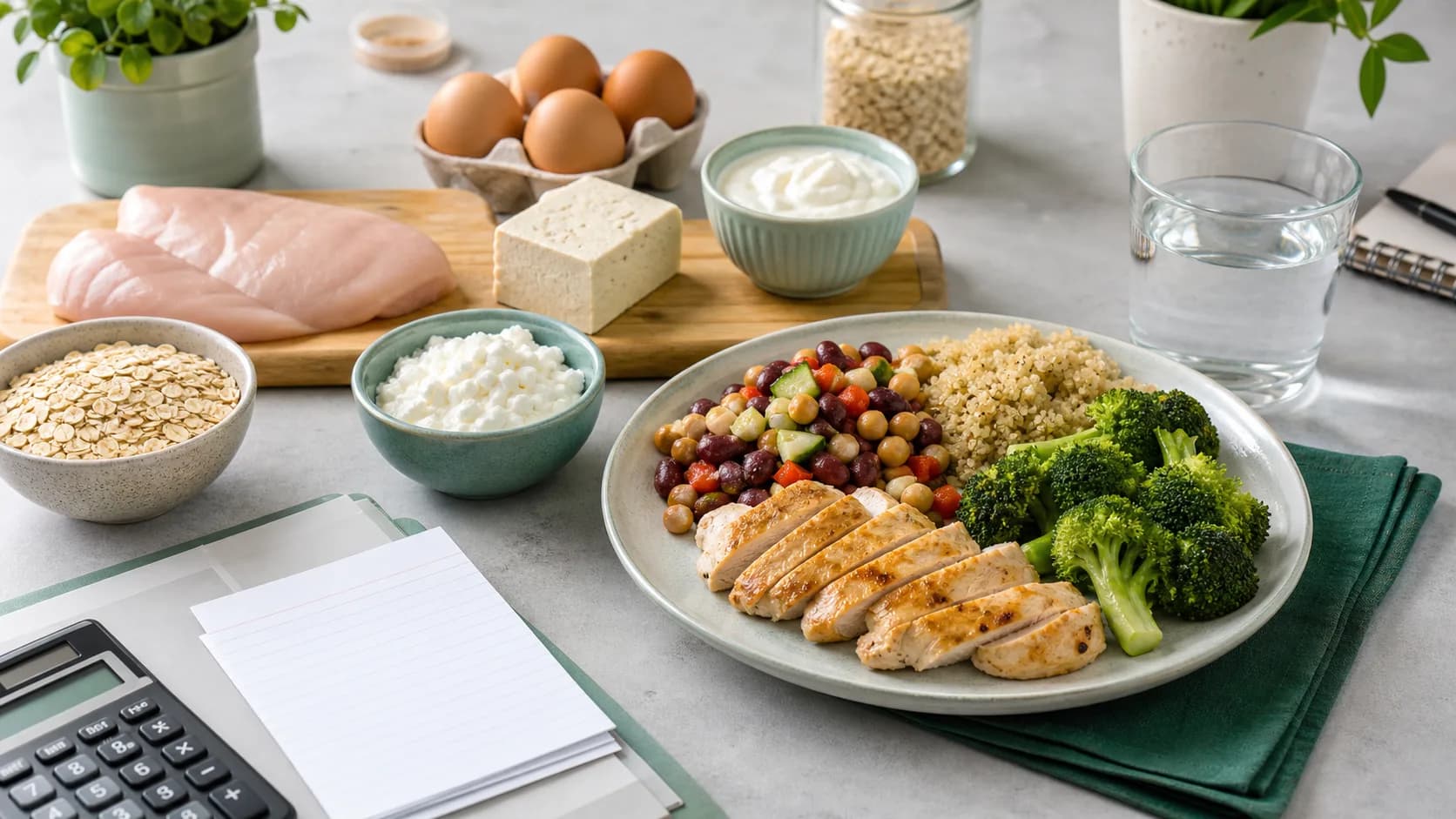
| ProteinCalc generated figures | Feature image and infographics | Page visuals are generated by ProteinCalc from the credited data sources instead of copying brand or journal images. |
| Dietary Reference Intakes | Protein reference values | Used for baseline adult intake context. Credit: National Academies / NCBI Bookshelf. |
| PROT-AGE research | Older-adult protein context | Used for senior planning cautions. Credit: cited authors and journal. |
How to Use the Advanced Result
After calculating, the next step is not another formula. The next step is a food plan. Use the meal planner to turn the daily target into meals. Use the food calculator for recipes and mixed dishes. Use specialized calculators when the goal is weight loss, muscle gain, seniors, women, athletes, or pregnancy context.
- Pick a daily target inside the range, not necessarily the highest number.
- Check whether the per-meal split is realistic.
- Build breakfast first if protein is usually low early in the day.
- Recalculate when body weight, goal, training load, or medical context changes.
- Use source-backed food pages to convert the target into actual servings.
Common Questions
Related Guides and Tools
Sources reviewed
- Dietary Reference Intakes summary tables - National Academies Press / NCBI Bookshelf
- International Society of Sports Nutrition Position Stand: protein and exercise - Journal of the International Society of Sports Nutrition
- Evidence-based recommendations for optimal dietary protein intake in older people - Journal of the American Medical Directors Association / PubMed
- How to Understand and Use the Nutrition Facts Label - U.S. Food and Drug Administration